System-wide Hotkey
Hold Fn in any app to record — no window switching needed

SayItDesktop Speech-to-Text App
Your voice becomes ready-to-use written text in 3 seconds
Free tiers from Groq & Gemini cover daily use — transparent, pay-as-you-go pricing
Changelog Actively maintained — see latest improvements & features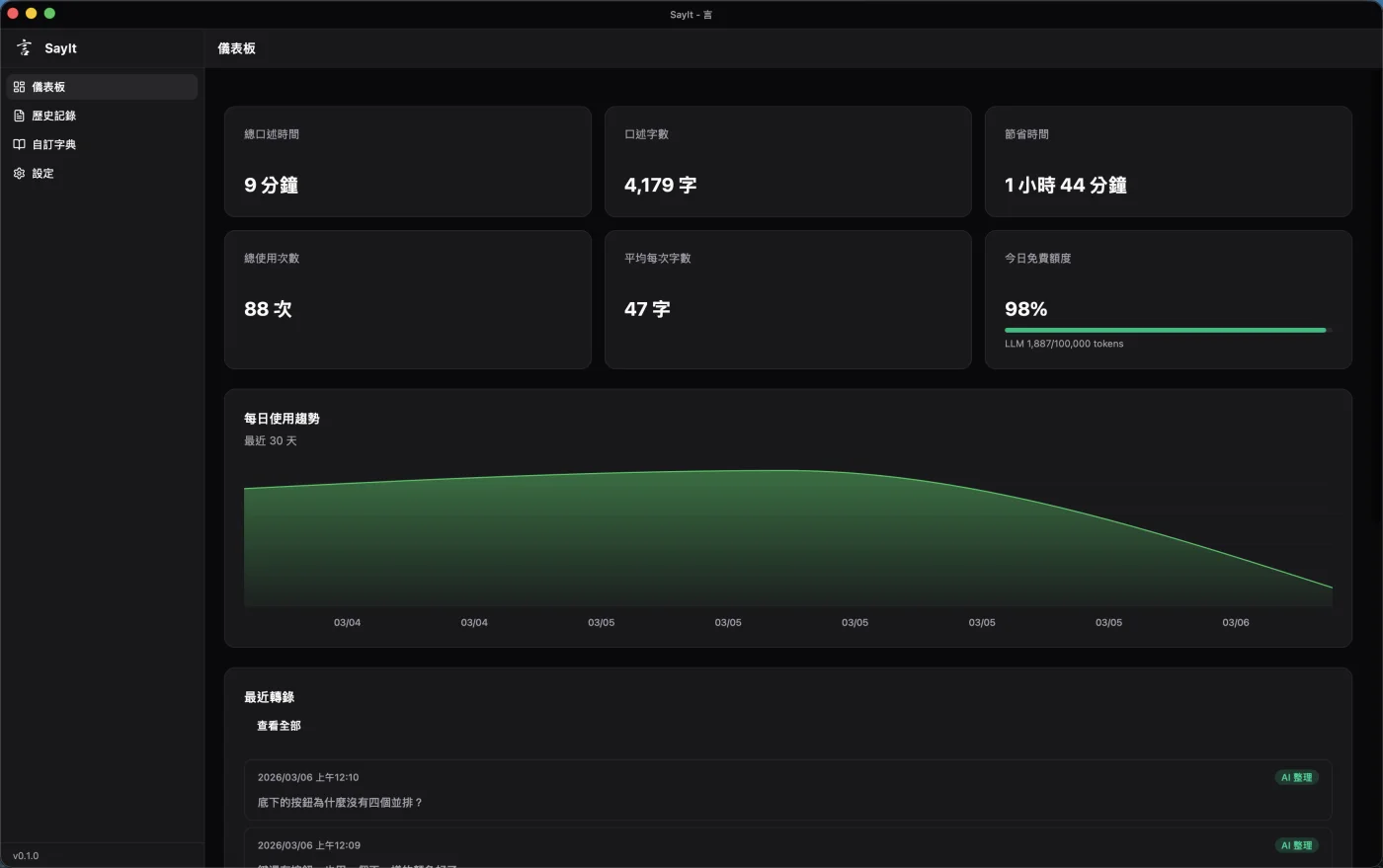
A MacBook-notch-inspired status indicator stays pinned at the top of your screen without blocking your work. From recording to transcribing to done, you always know what SayIt is doing.
Full source code on GitHub under the MIT license — free to use, modify, and commercialize. No vendor lock-in, community-driven evolution.
View SourceStep 1
Hold the Hotkey & Speak
Fn on macOS, Right Alt on Windows
Step 2
AI Transcribes & Polishes
Whisper transcribes, LLM refines into written text
Step 3
Auto-Paste
Text appears right at your cursor
Done in 3 Seconds
From releasing the key to seeing the text — faster than switching input methods
Virtually Free
Both Groq and Gemini offer daily free quotas — zero cost for regular use
Privacy Stays Local
Recordings and history stay on your computer, never uploaded to any cloud
Works in Any App
Slack, VS Code, Email, GitHub — just hold and speak
Get your own Groq or Google Gemini API Key — the free daily quota is enough for regular use
Even beyond the free tier, one hour of transcription costs about $0.10 USD
You pay the API provider directly (Groq / Gemini / OpenAI / Anthropic) — no middleman, no subscription
Compare: paid services like Typeless start at $10+/month. SayIt lets you pay only for what you use — and most of the time, it's free
2
Create an API Key
Go to the API Keys page, click "Create API Key", enter a name, and create
Go to API Keys Page3
Paste into SayIt Settings
Copy the key, open SayIt settings, paste it in — done!
Free accounts include daily quotas — no credit card required. SayIt also supports Google Gemini (free tier available), OpenAI, and Anthropic — switch anytime in settings
System-wide Hotkey
Hold Fn in any app to record — no window switching needed
Whisper Fast Transcription
Multiple API providers supported — get your transcript as fast as 1 second after releasing the key
AI Speech-to-Writing
Automatically removes filler words and refines into clean, usable sentences
Custom Dictionary
Add your own terms so "Fortuna" stays "Fortuna" instead of being misheard
Local Privacy Storage
Recordings and text stay in your local SQLite — nothing uploaded to any cloud server
Cross-Platform
Native apps for macOS + Windows — setup takes 2 minutes
Voice-Edit Selected Text
Select text, hold the hotkey, give voice instructions (translate, rewrite, summarize) — AI replaces the original
Recording History & Playback
Every recording is auto-saved — replay audio, review transcripts, or re-transcribe anytime
Sound Feedback & Instant Cancel
Audio cues for recording start, stop, and errors; press ESC anytime to cancel recording or AI processing
Hotkey Settings
macOS: Fn / Option / Control / Command / Shift. Windows: Right Alt / Left Alt / Control / Shift. Custom key recording supported. Combo hotkeys: double-tap or long-press to switch modes
Trigger Mode
Hold mode: hold to record, release to stop. Toggle mode: press once to start, press again to stop — great for long dictation
AI Model Selection
4 AI providers: Groq (free), Google Gemini (free tier), OpenAI (recommended), Anthropic. Multiple models per provider. Whisper: Large V3 or V3 Turbo
AI Refinement Mode
Three modes: Minimal (fix typos, remove fillers), Active (restructure with bullet points), Custom (fully custom prompt). Defaults optimized for clean written text
Short Text Threshold
Below a set word count, AI refinement is skipped — raw transcript is pasted directly to avoid rewriting short commands
Auto-Mute on Record
System speakers auto-mute when recording starts, auto-restore when done — prevents notification sounds from being captured
Microphone Selection
Choose your preferred microphone in settings with live volume preview — no longer limited to the system default device
Developers
PR descriptions, code review replies, technical docs — speaking is 3x faster than typing
PMs & Knowledge Workers
Dictate meeting summaries in 20 seconds — auto-formatted into clear bullet points
Sales & Heavy Typists
Email replies, Slack messages, reports — your voice is more efficient than your fingers
Install → Enter your API Key (Groq free tier recommended) → Start using — 2 minutes to set up